




Advertisements
As the world’s most popular CMS, WordPress powers millions of websites. For website owners, whether you run a blog, an e-commerce site, or an online service, popups have proven to be a highly effective digital marketing strategy for boosting conversions. In fact, Campaign Monitor even suggests that one of the easiest ways to increase conversions is by adding a popup to your site.
However, while popups can be a powerful tool, choosing the right plugin is crucial to avoid disrupting the user experience. A popup that is too intrusive or poorly designed can frustrate visitors and cause them to leave your website. Therefore, this article will review the best WordPress popup plugins available in 2026, considering their features, advantages, and disadvantages.
Advertisements
What Is a WordPress Popup Plugin?
A WordPress popup plugin is a tool that allows you to add an overlay window or lightbox to your website.
These popups typically contain a subscription form, a special offer, a cookie notification, an exit-intent message, or another call to action that appears automatically based on specific rules.
Installing a popup plugin is quite straightforward. If you’re unsure how, you can read our article on how to install a WordPress plugin first.
The Best WordPress Popup Plugins
There is a vast selection of WordPress popup plugins on the market. To choose the best one, there are several key features to look for, such as targeting capabilities, customizable designs and templates, and mobile responsiveness.
Based on these criteria, here are some of the best WordPress popup plugins worth considering in 2026:
Advertisements
1. OptinMonster
The first WordPress popup plugin to consider is OptinMonster. It is one of the most popular popup plugins available. Here are the features that have earned OptinMonster over one million active installations:
- Rich selection of templates.
- Numerous free add-ons.
- Page-level targeting.
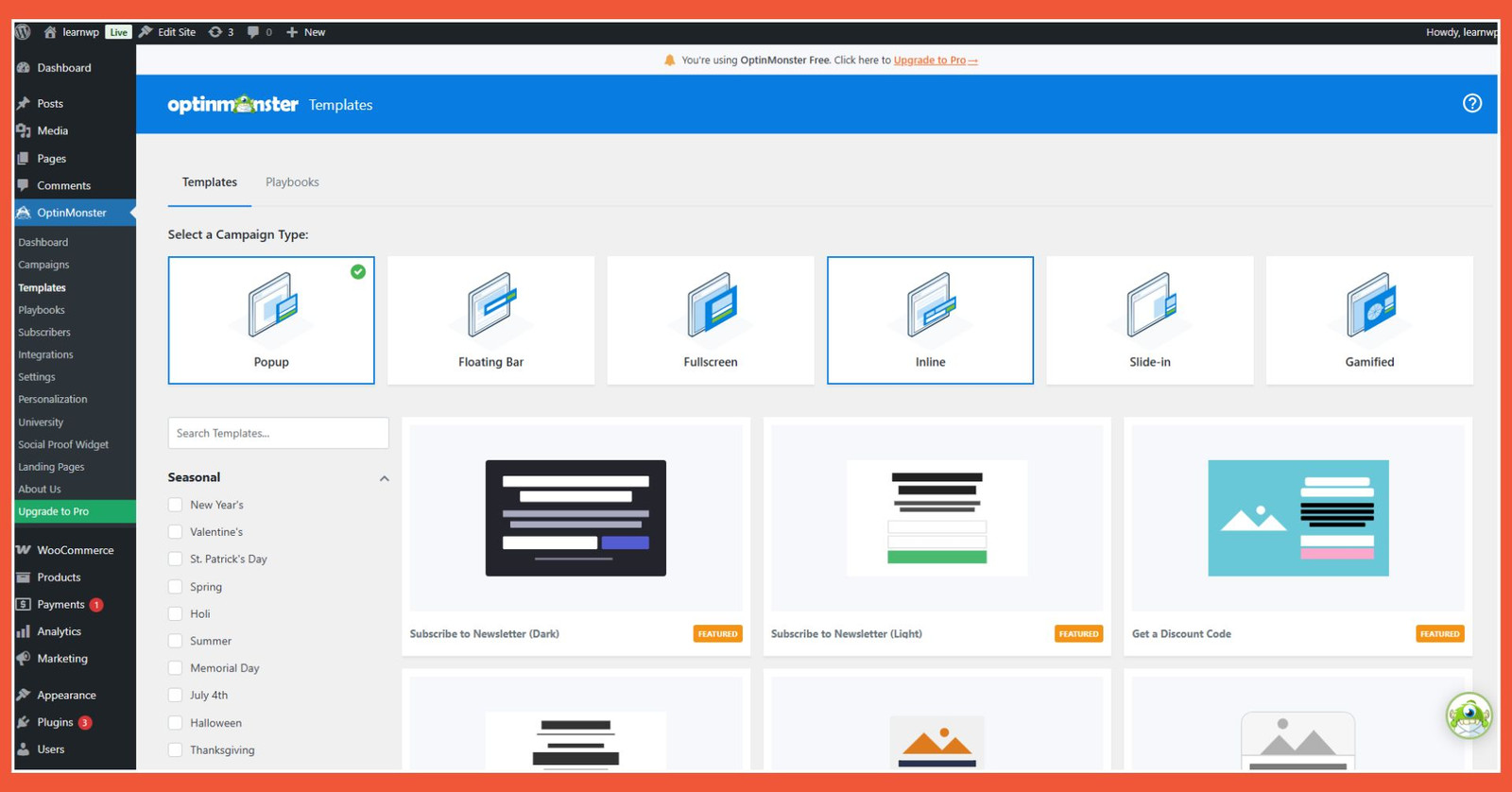
On the free version, OptinMonster provides a good number of preset themes.
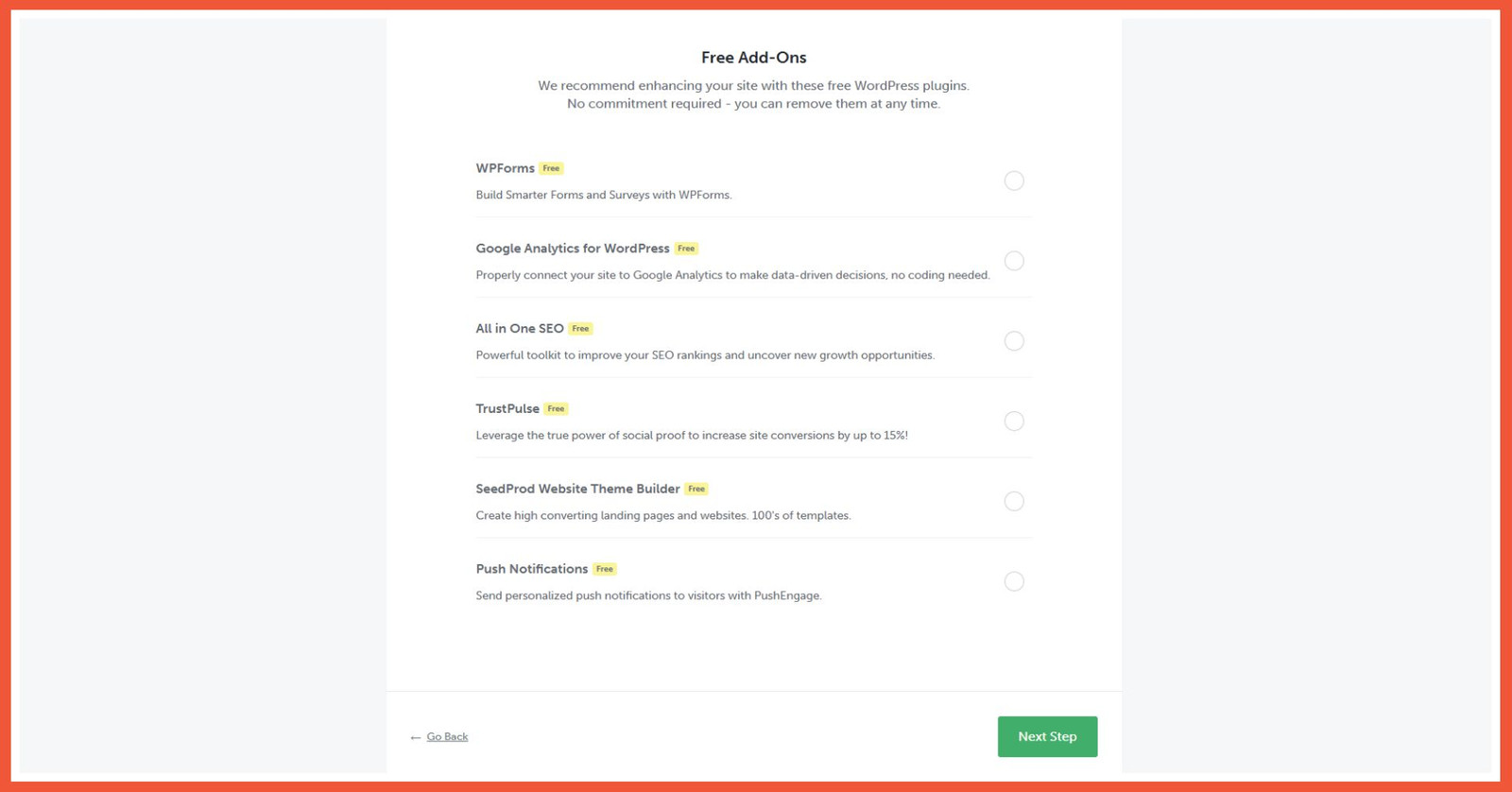
OptinMonster provides free, integrated add-ons.
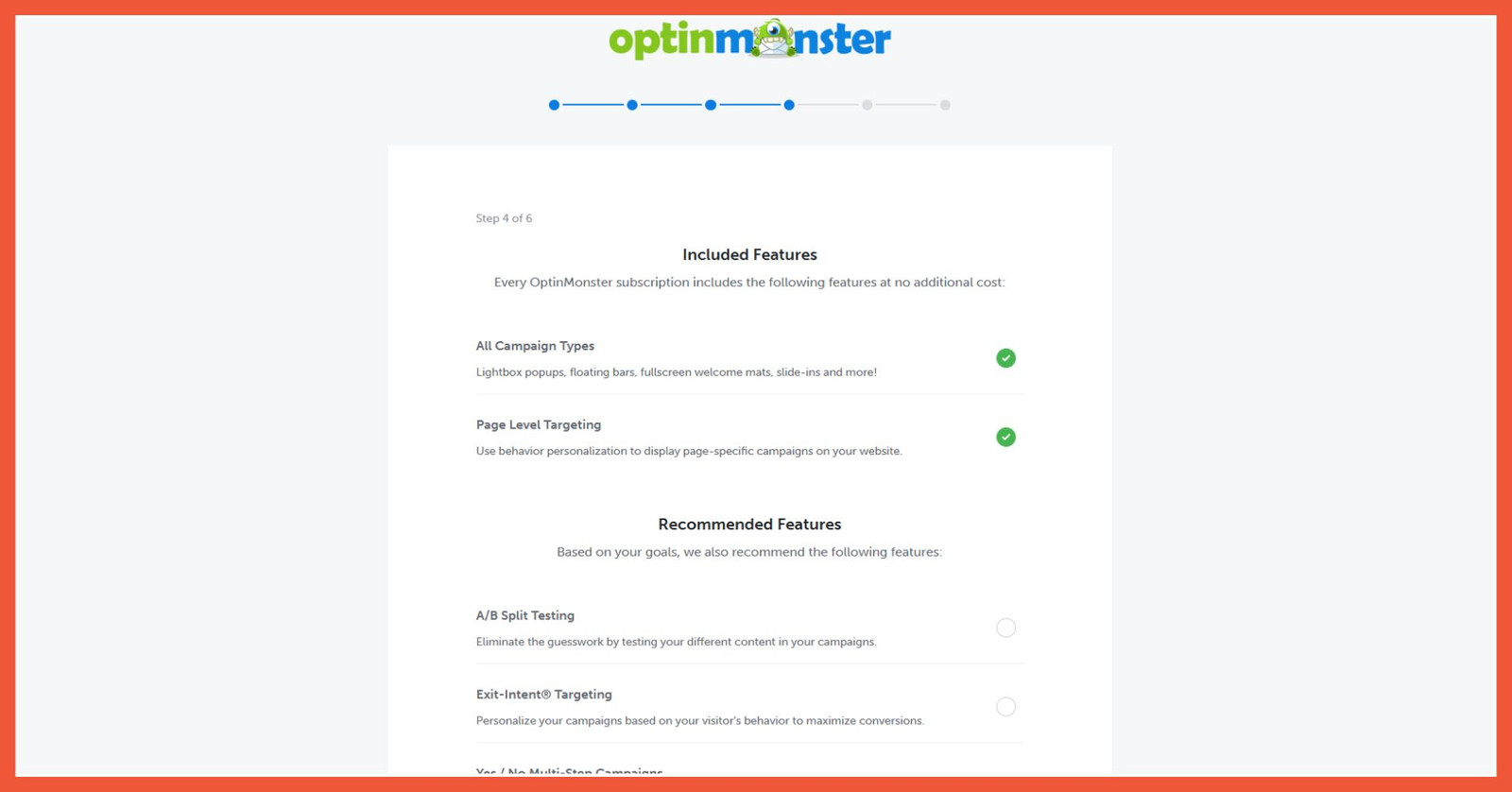
The free version of OptinMonster offers many campaign and targeting options.
Pros:
- CRM platform integration
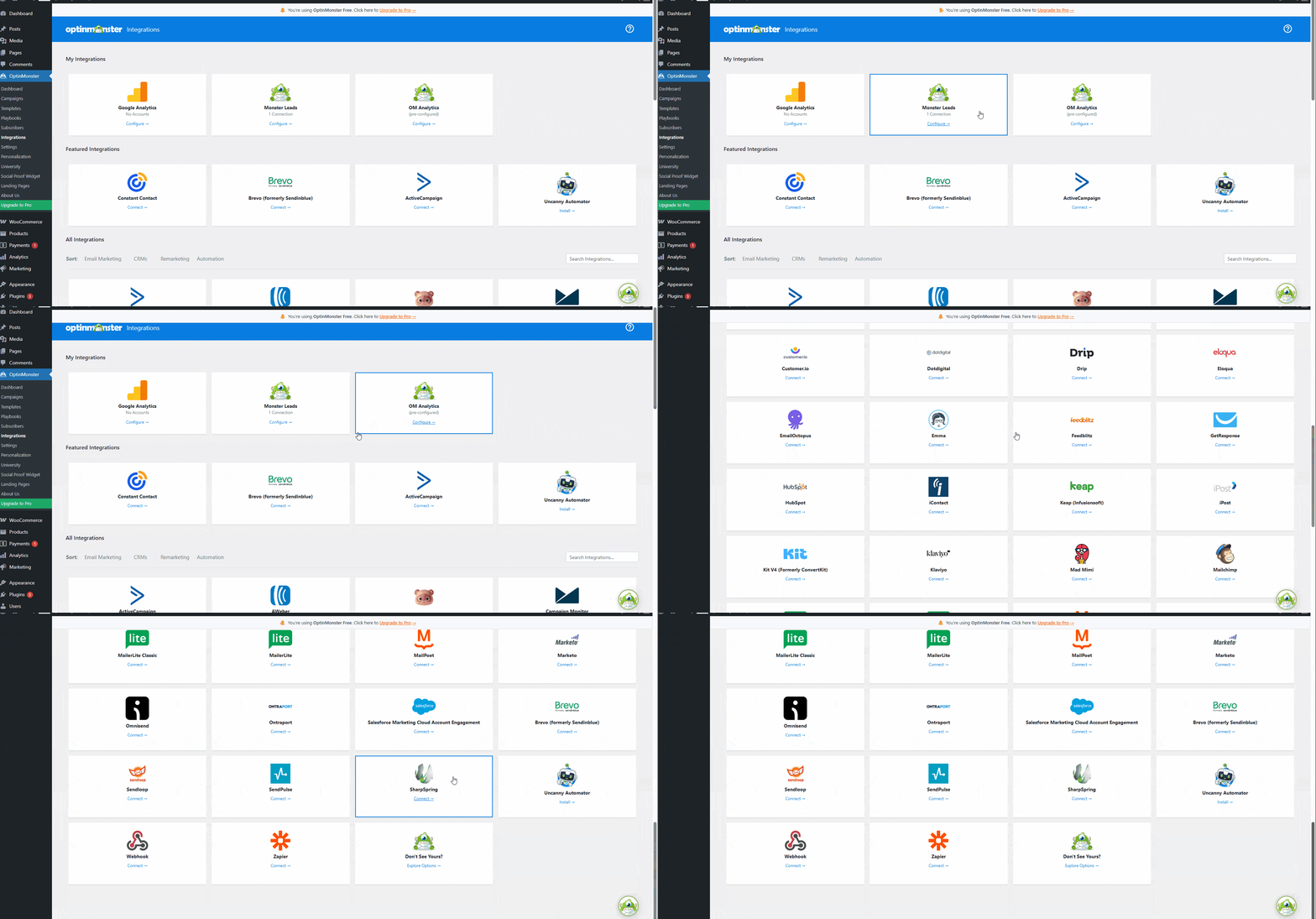
A key advantage of OptinMonster is its ability to integrate with various CRM platforms. At a basic level, it can connect with Google Analytics.
Cons:
- Requires connection to OptinMonster server
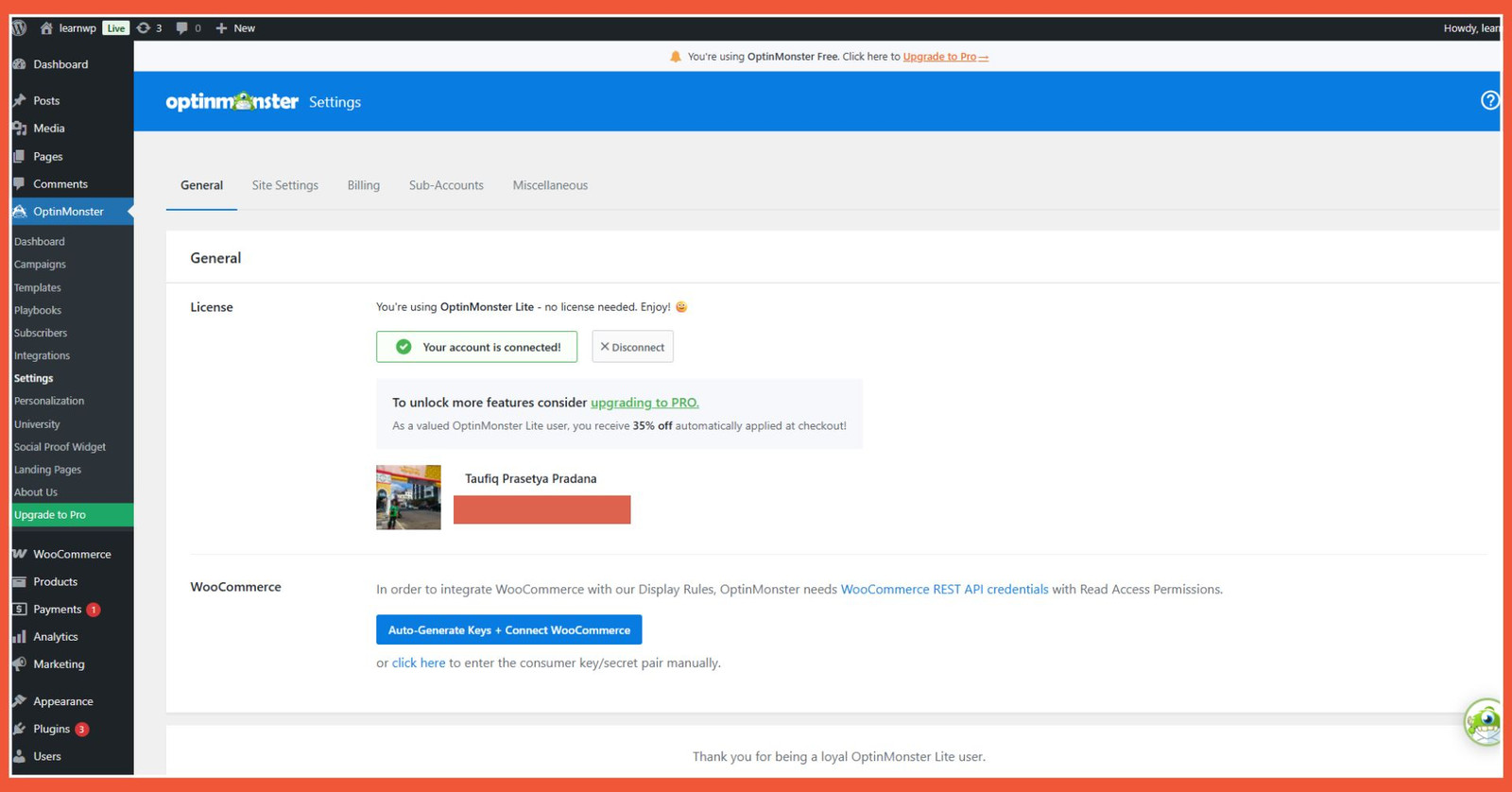
The necessity of connecting to OptinMonster’s servers can be inconvenient for some users.
2. Popup Maker
The next plugin you can try for displaying popups in WordPress is Popup Maker. It is an extremely popular popup plugin among WordPress users, with over 700,000 active installations. Here are the features offered by Popup Maker:
- Wide selection of themes.
- Preset popup displays.
- Targeting settings.
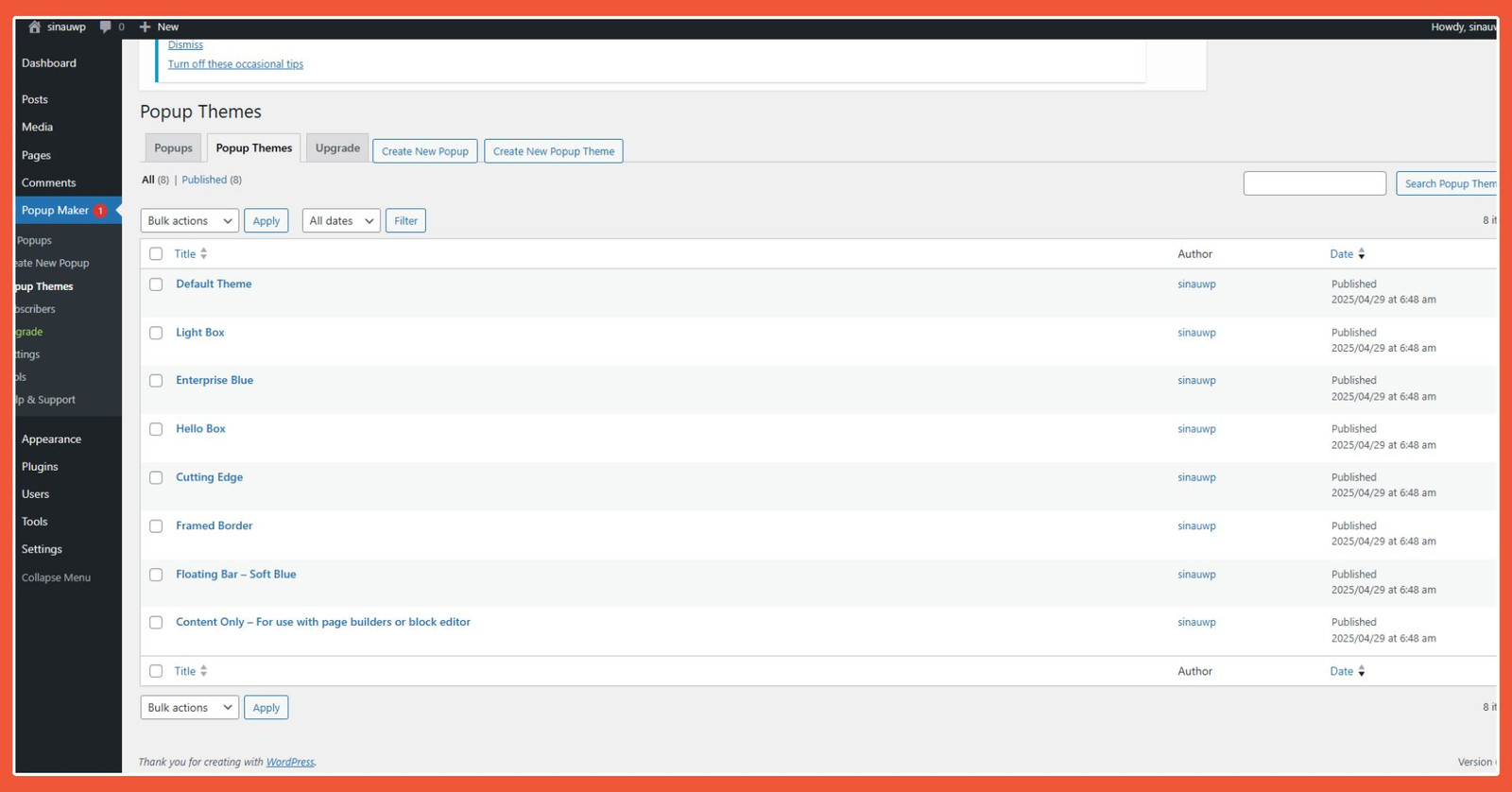
Popup Maker provides a selection of preset themes for your popups.
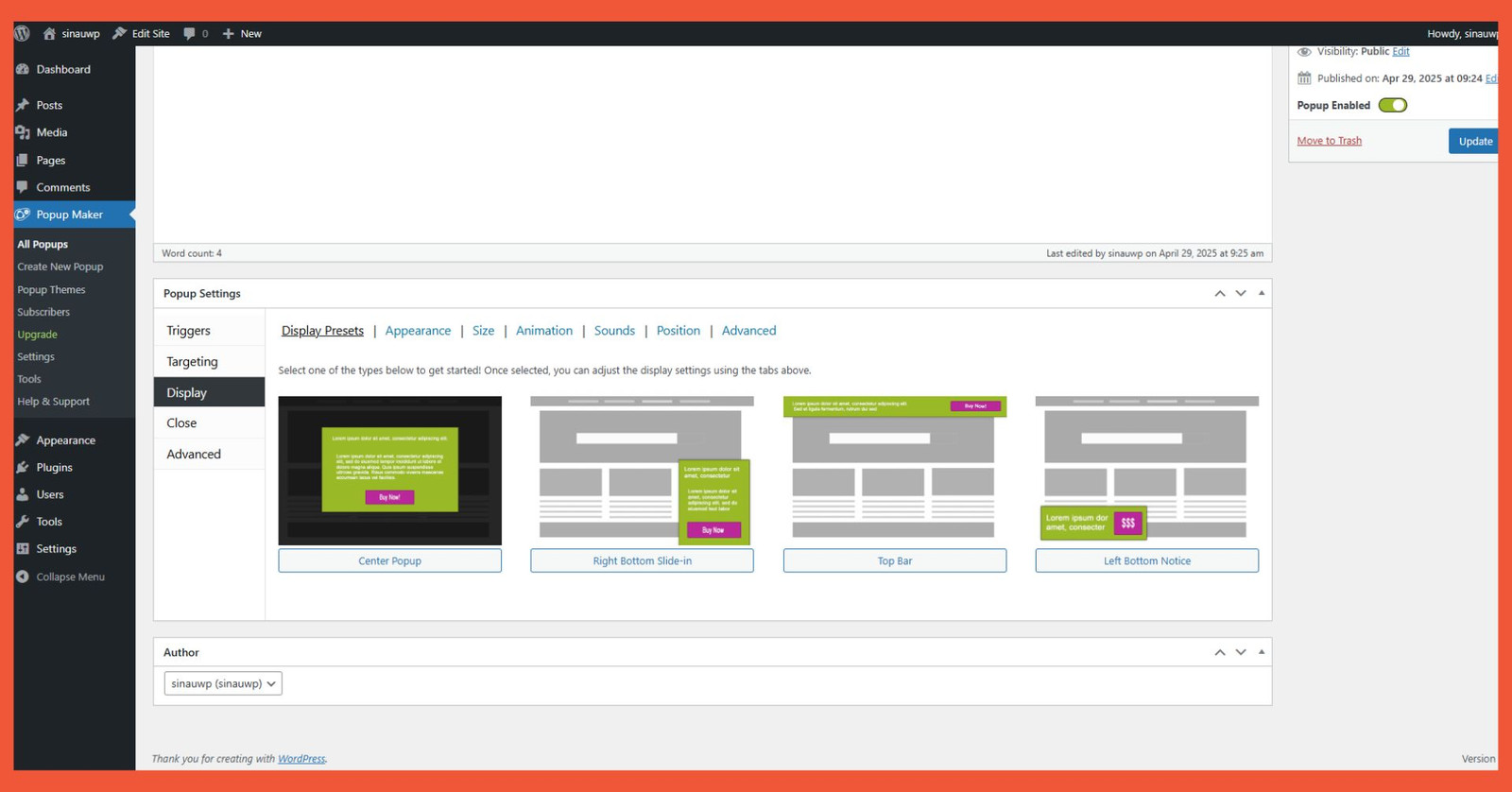
Popup Maker offers preset display layouts for your website’s popups.
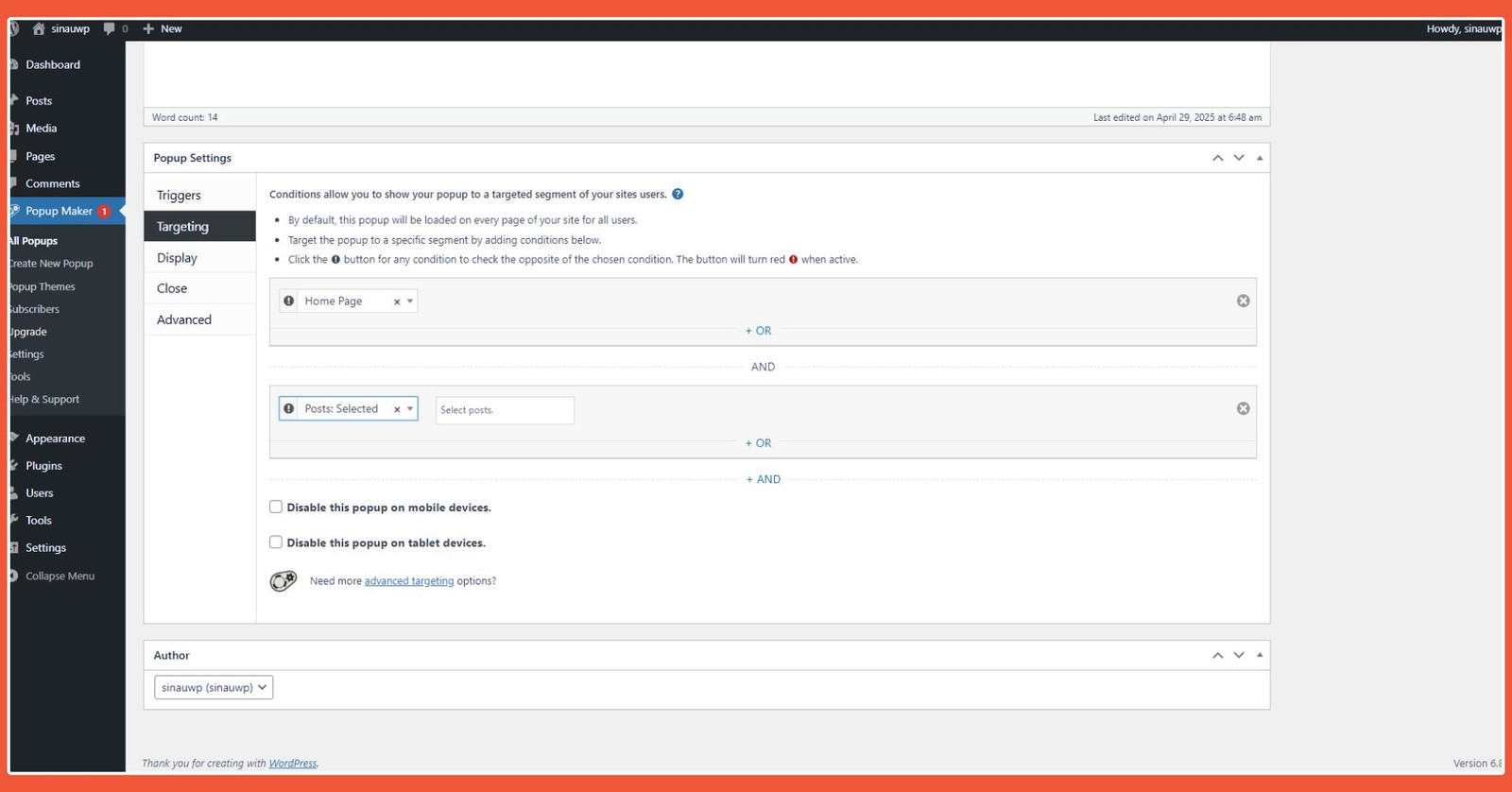
The free version of Popup Maker can be used for targeting.
Pros:
- Powerful Free Features: For example, it offers comprehensive exit-intent popup options that can be configured to your needs.
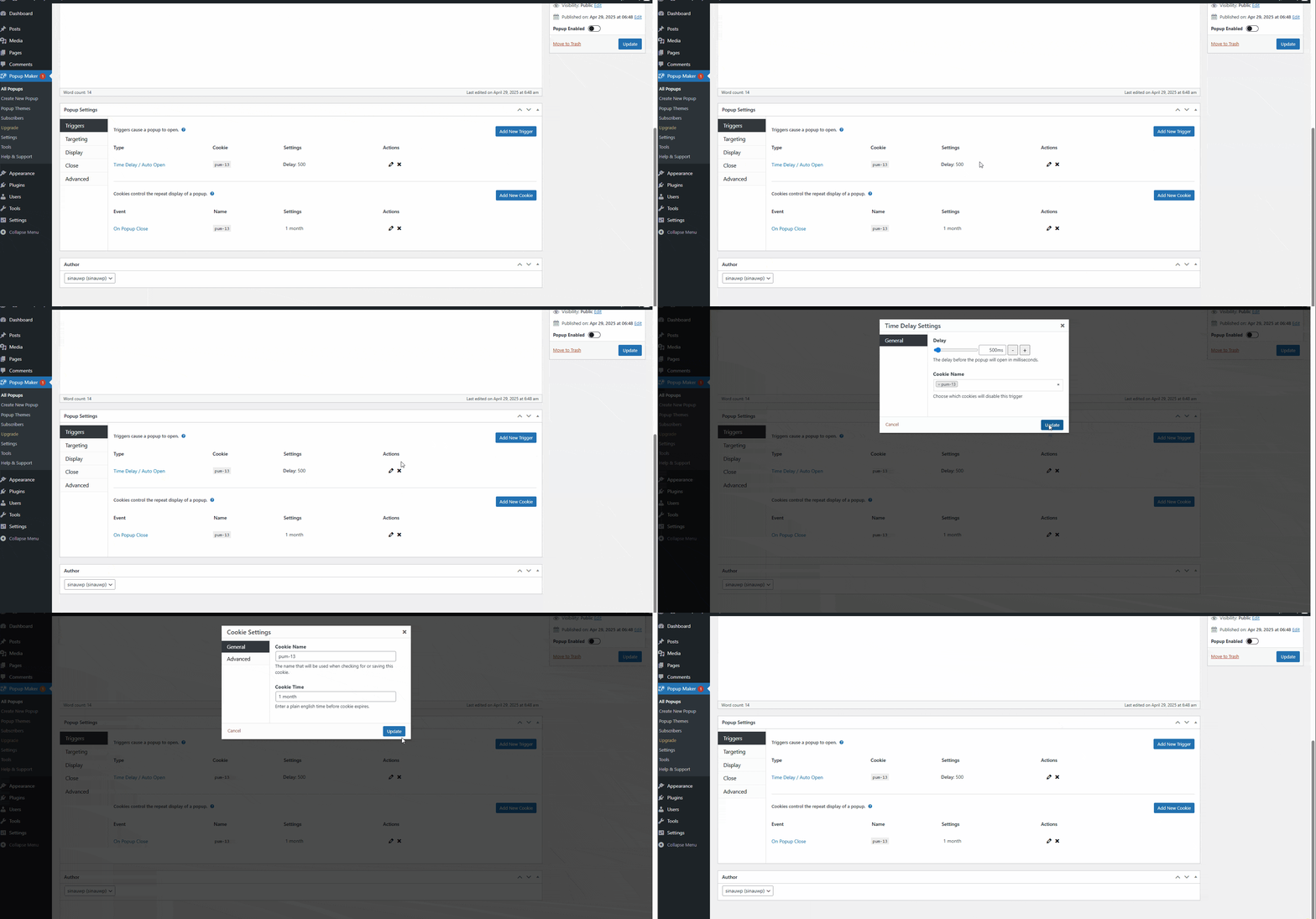
Popup Maker’s Trigger or Exit Intent feature lets you define the user action required when the popup appears.
Cons:
- Many Paid Add-ons: A noticeable drawback of Popup Maker is that many CRM tools are not available to users of the free version.
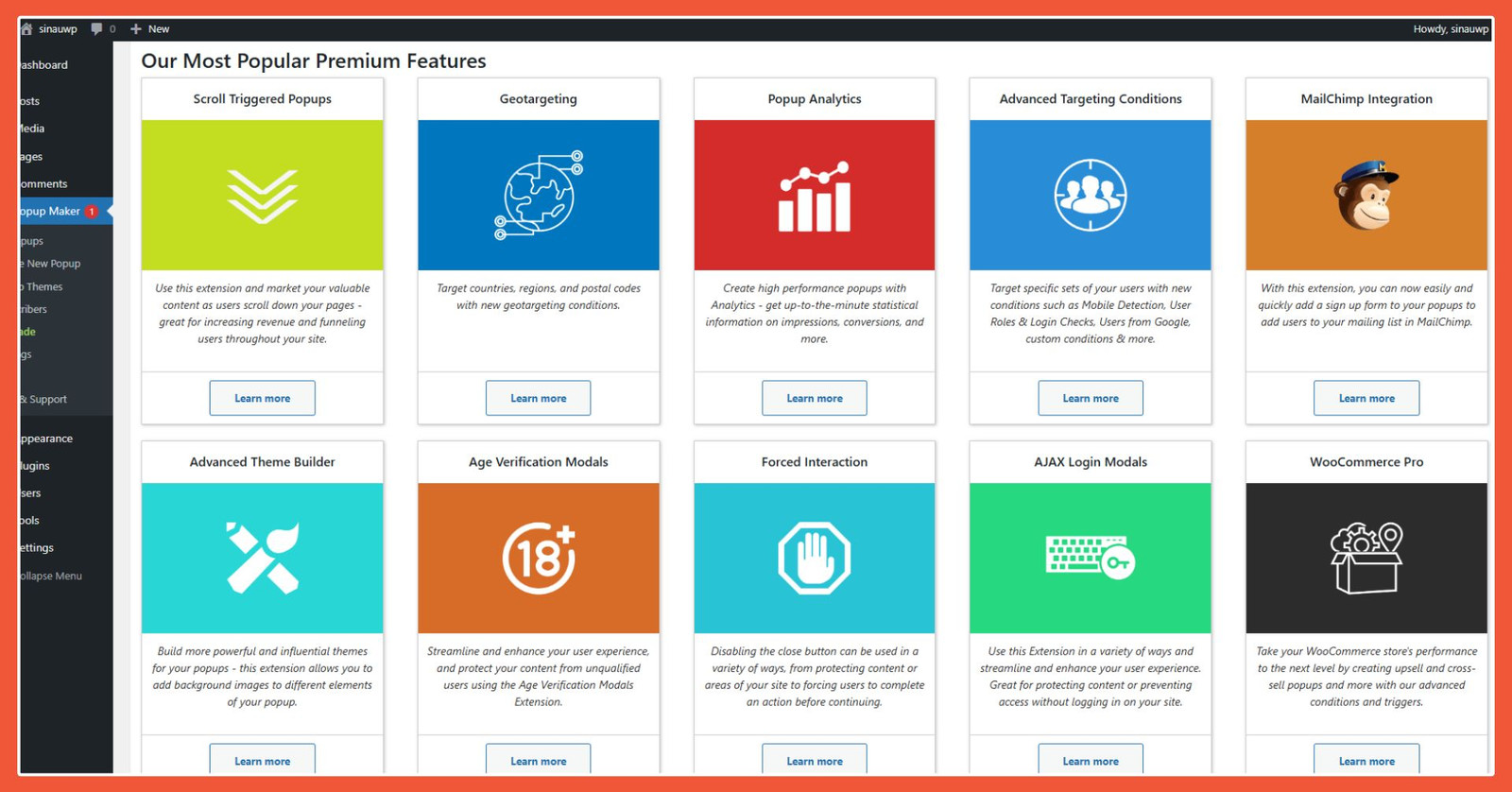
The most apparent drawback of the Popup Maker plugin is that many CRM tools are unavailable to free version users.
Advertisements
3. Hustle
Another plugin for displaying popups on your website is Hustle. Hustleis a WordPress popup plugin with over 100,000 active installations, indicating that it is quite well-known among users. Here are Hustle’s features to consider when choosing a WordPress popup plugin:
- Multiple module options.
- Complete customization: layout, typography, and color settings.
- Integration with CRM tools.
Also Read:
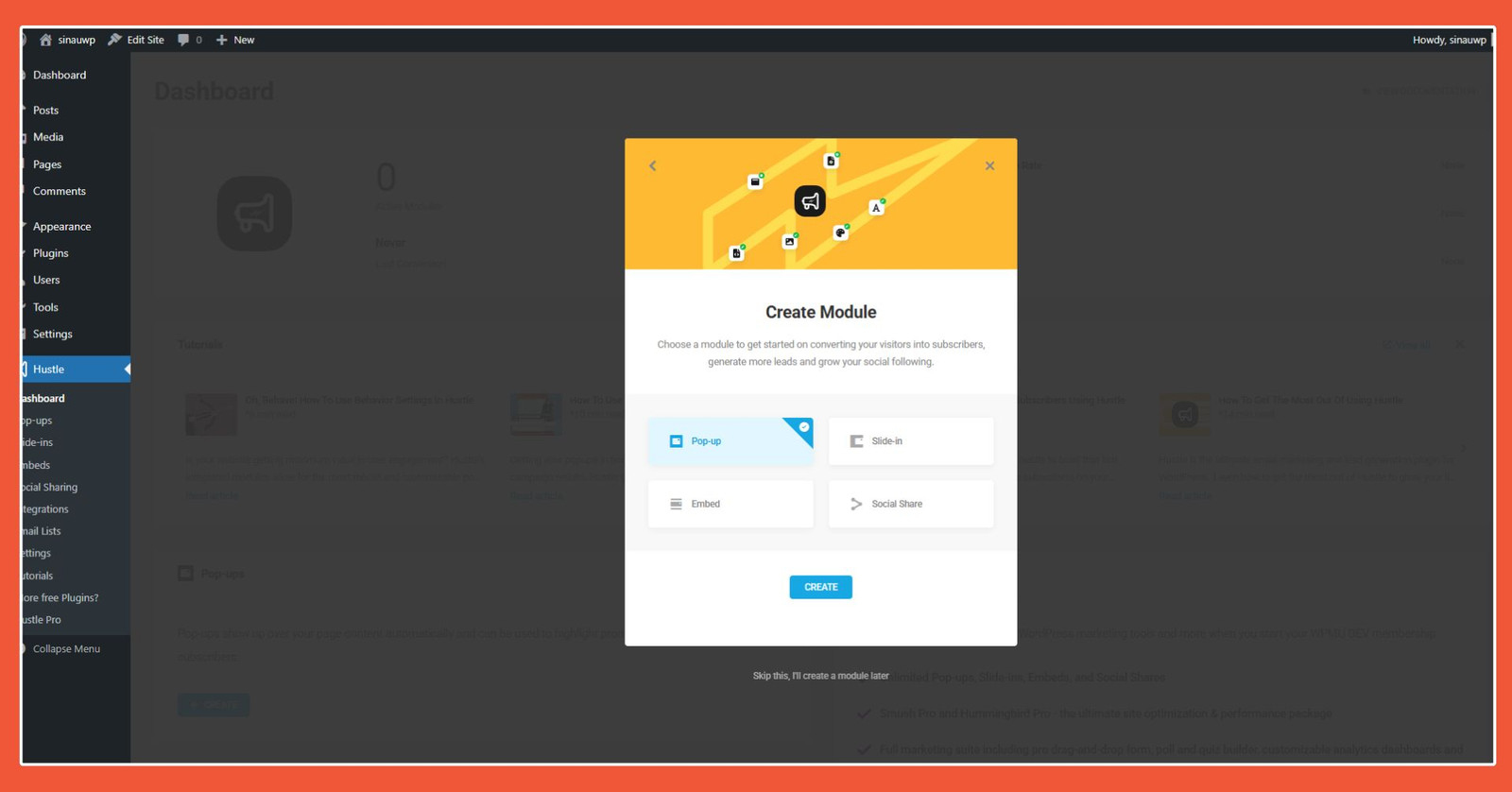
Other module options are available.
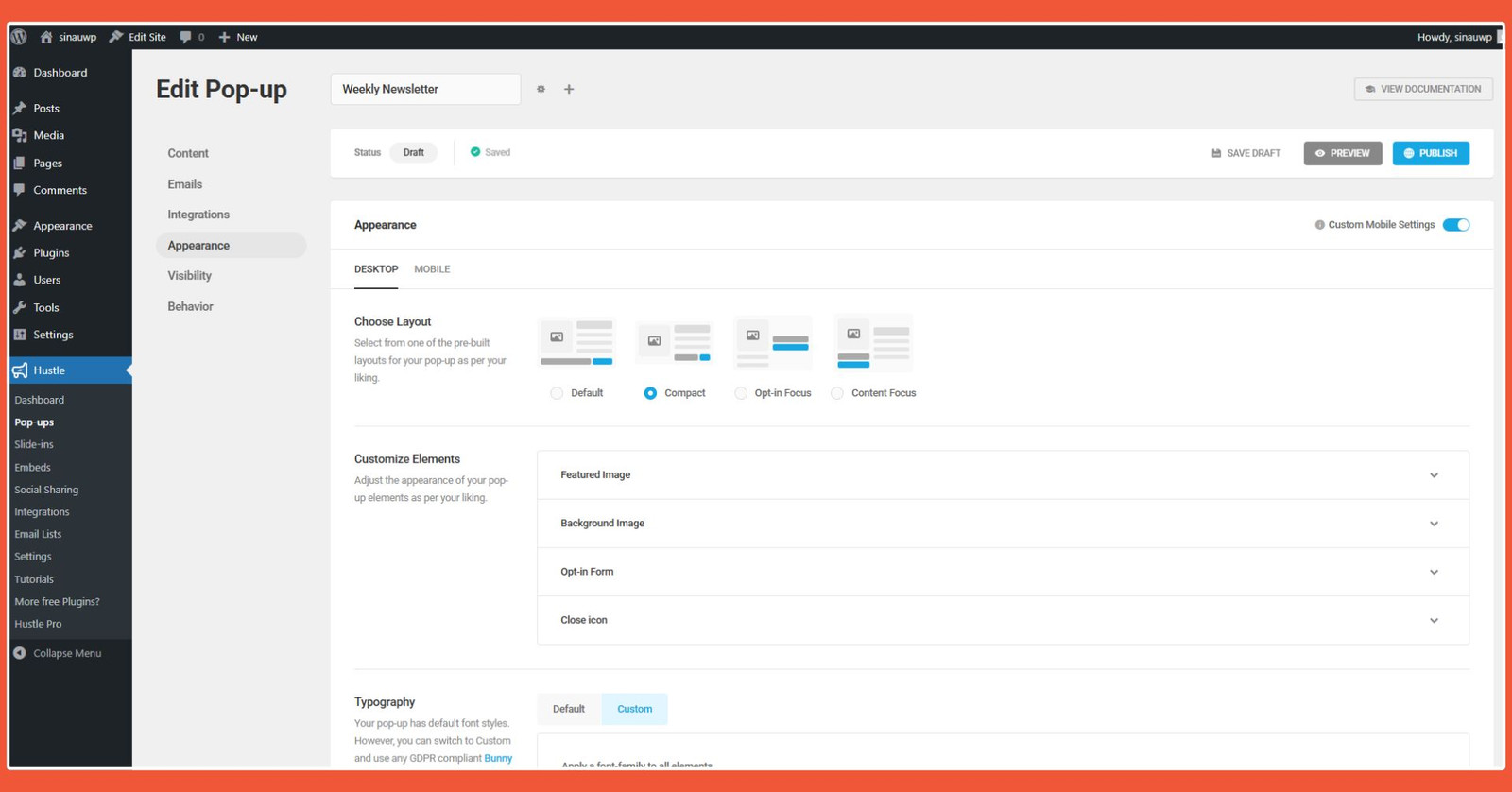
Hustle allows you to customize the content of your popups. Many customizations can be made.
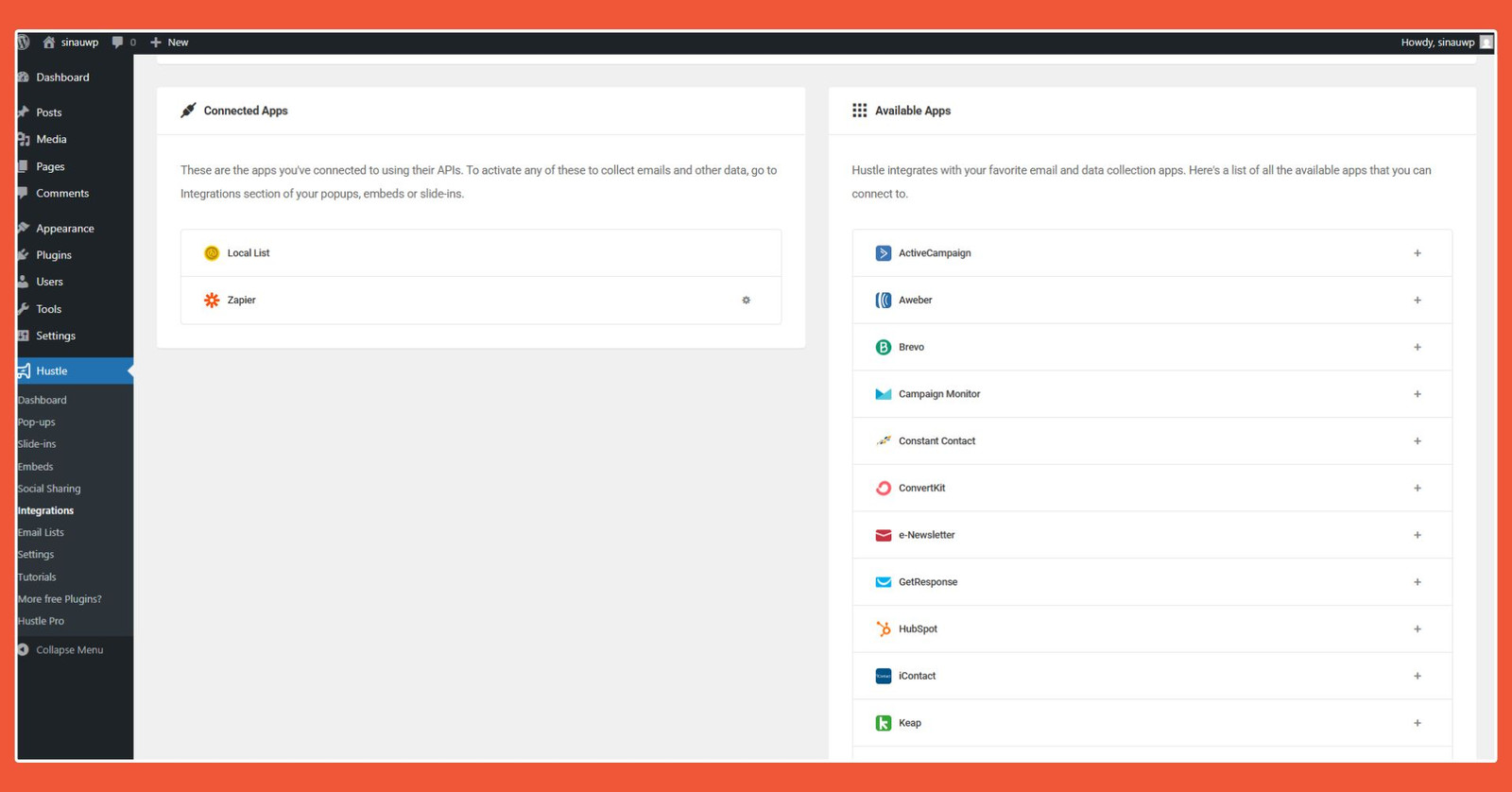
Hustle integrates with many CRM tools, which is more than enough for free version users.
Pros:
- Integrates with many free plugins with basic features, such as Smush, Forminator, SmartCrawl, and Broken Link Checker.
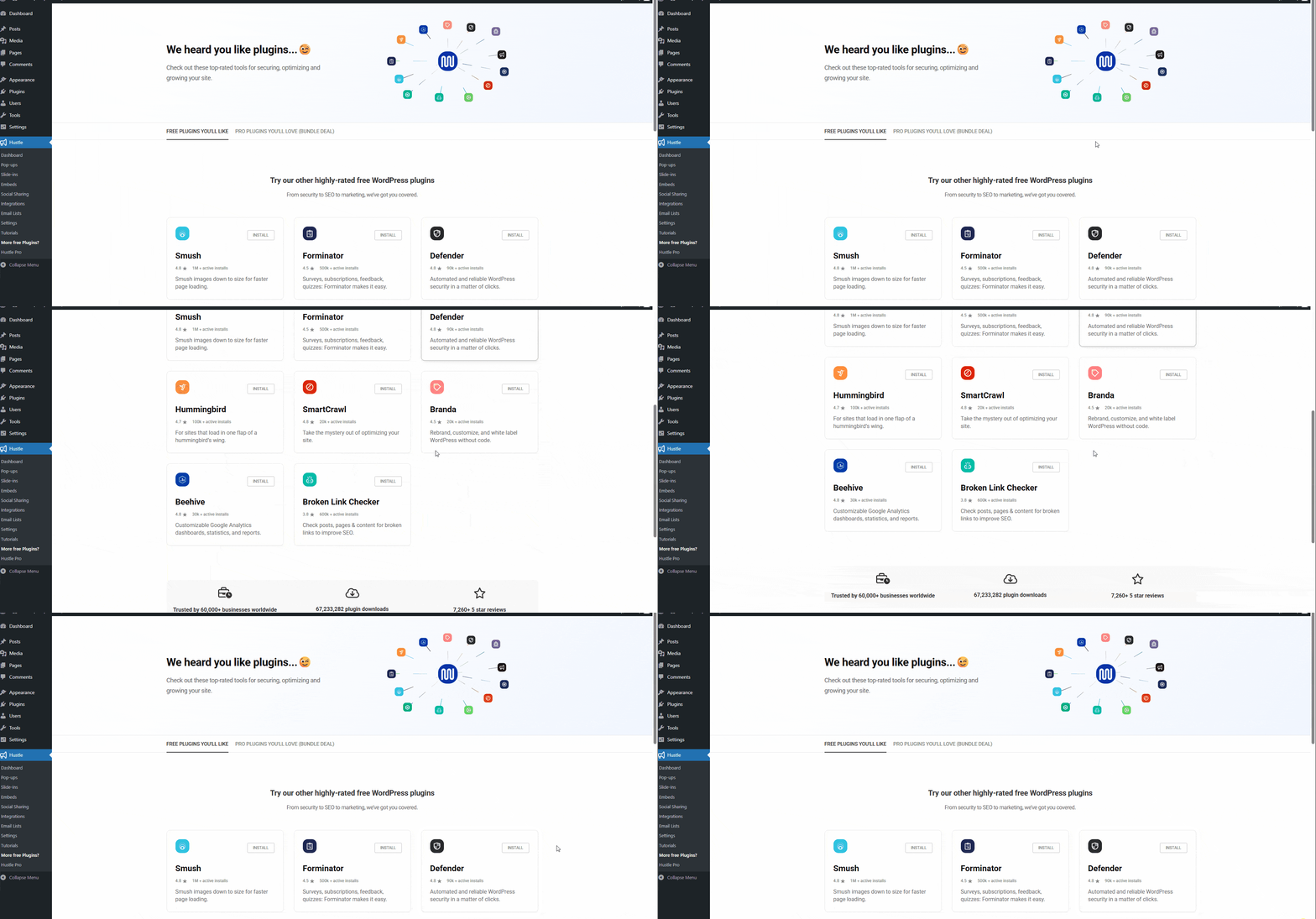
The free version of Hustle allows you to use the basic features of CRM plugins integrated with it.
Cons:
- Limited template options: The templates provided by Hustle are very limited, which can be a drawback for those who enjoy being creative with WordPress plugins.
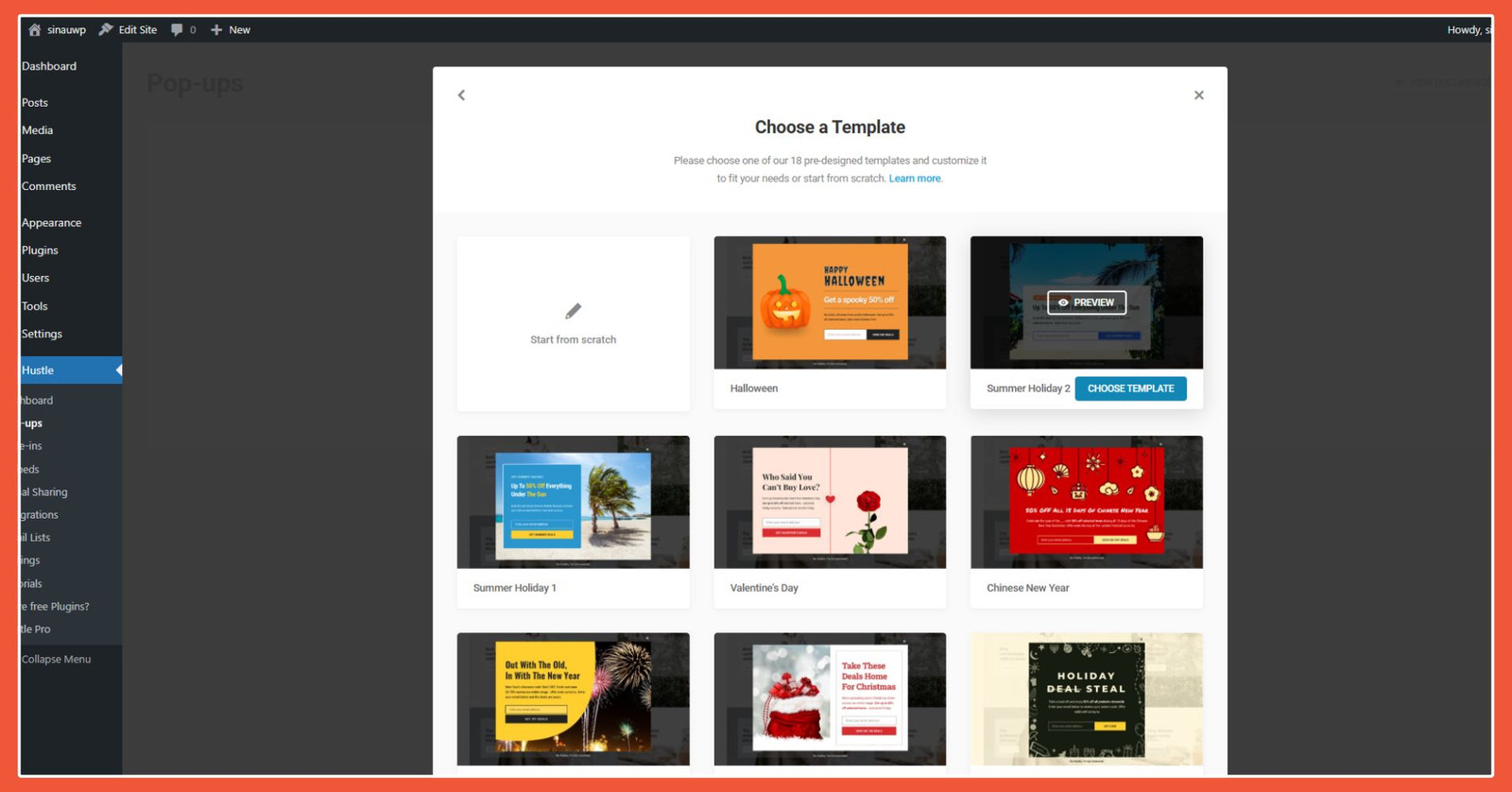
Hustle’s selection of preset templates feels quite limited. Hustle’s selection of preset templates feels quite limited.
Advertisements
4. Popup Builder
The next WordPress popup plugin option is Popup Builder. It is a fairly popular popup plugin in the WordPress ecosystem, with over 200,000 active installations to date. Here are the features of Popup Builder to help you make your decision:
- Comprehensive display rules.
- Timing options for when the popup appears.
- Floating button functionality.
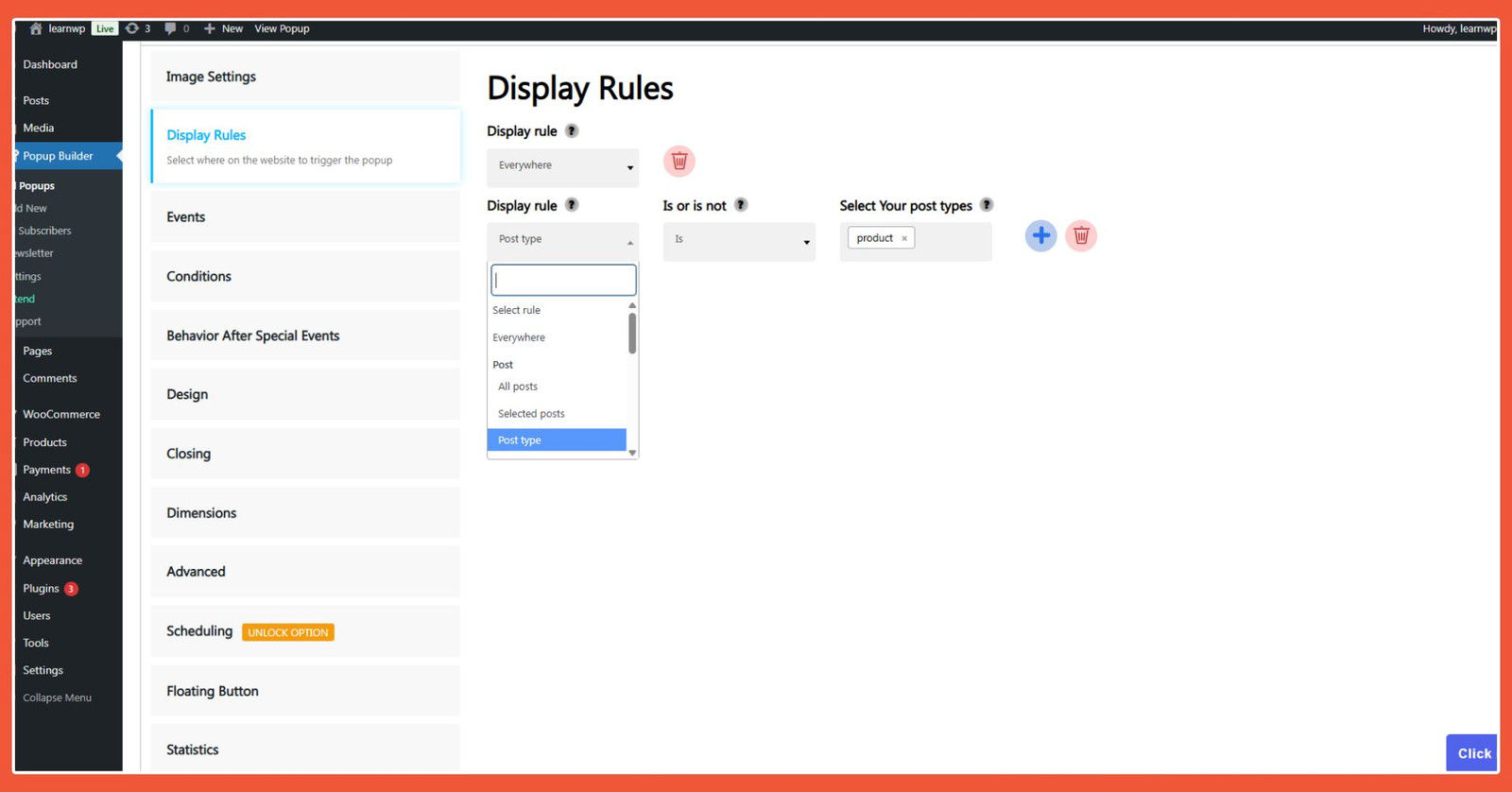
Popup Builder’s Display Rules feature allows you to control where the popup appears.
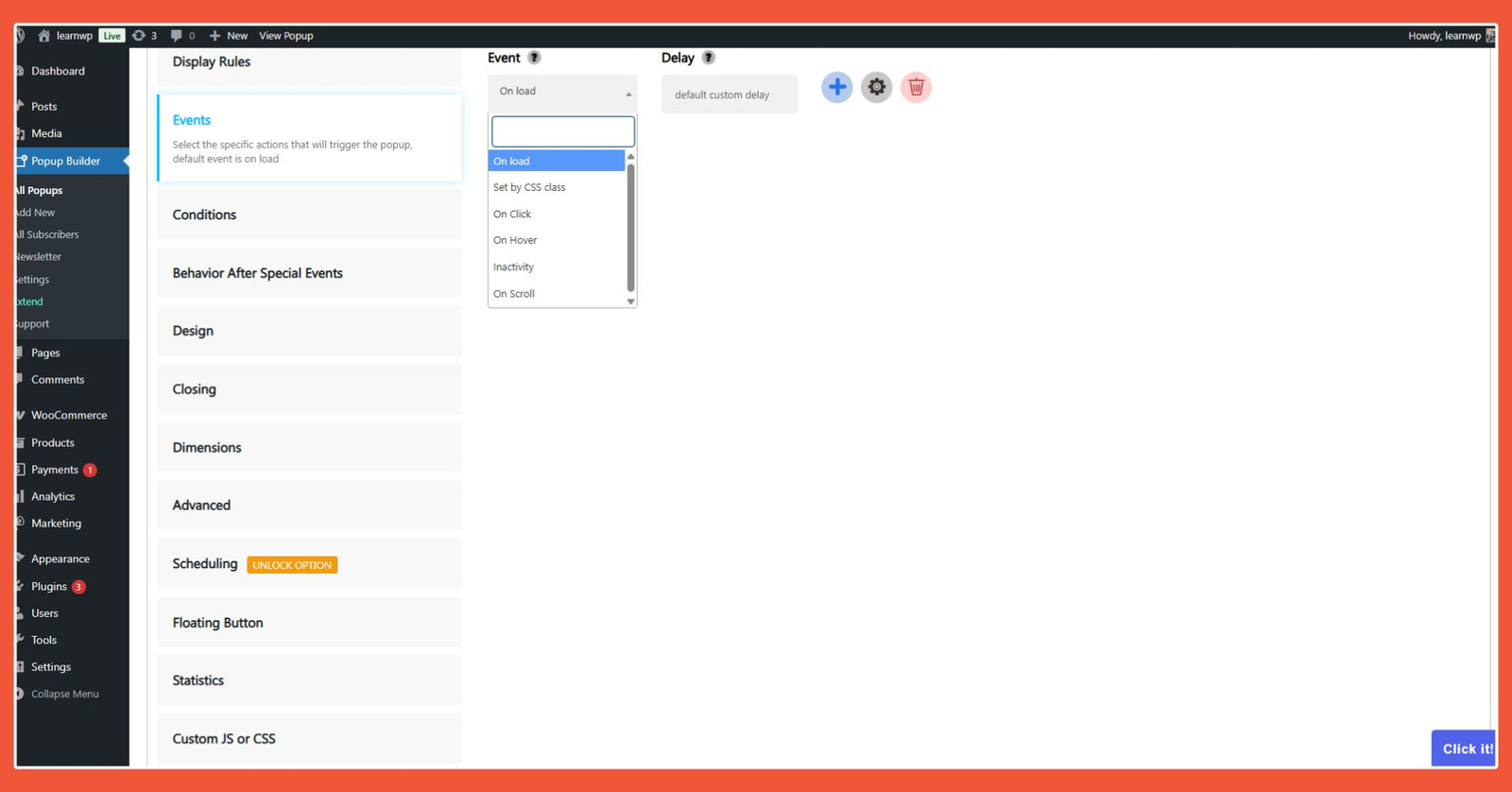
The Events feature in Popup Builder gives you the freedom to set the conditions under which the popup appears to visitors.
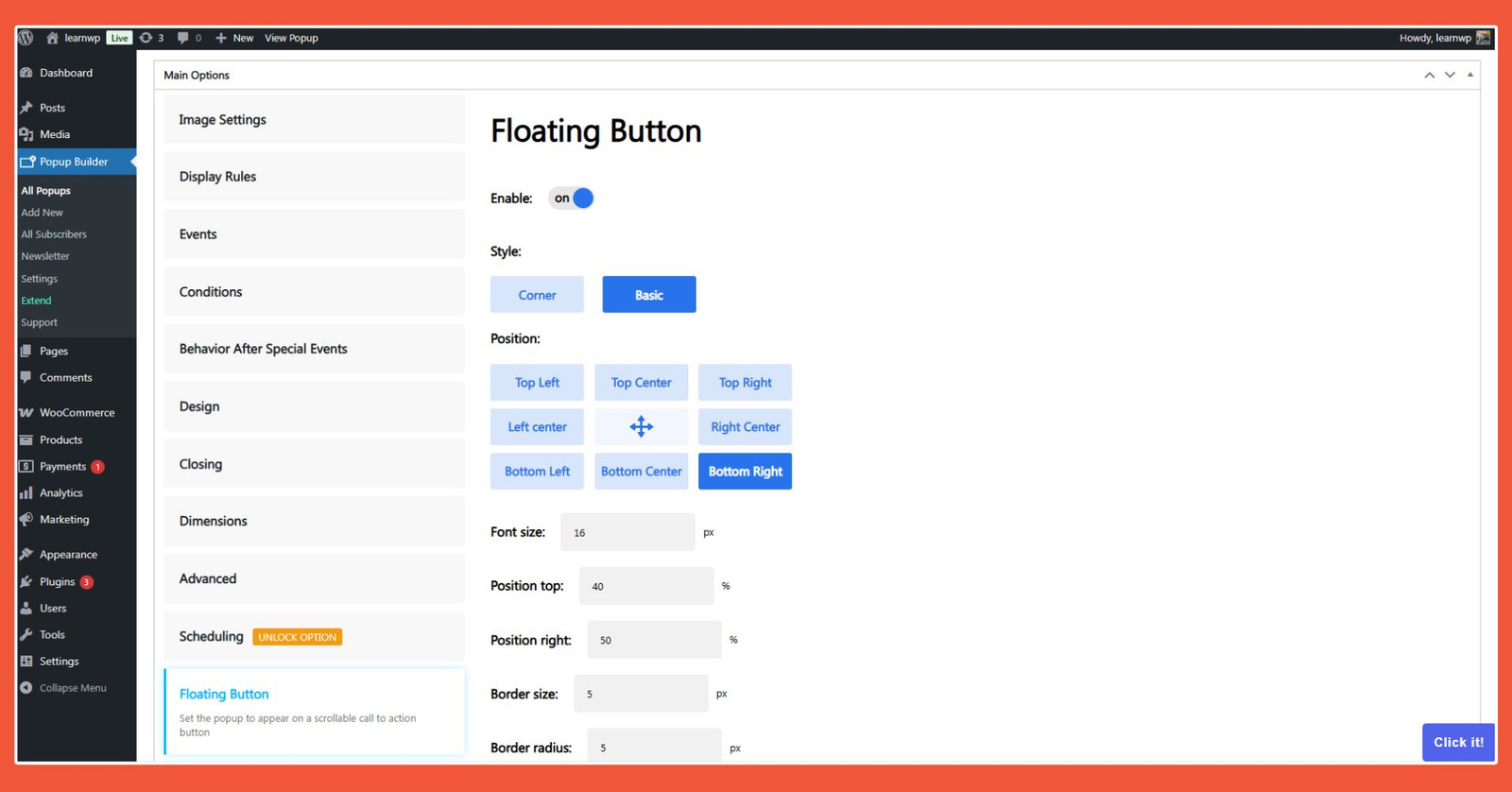
In addition to popups, the Popup Builder plugin allows you to display a floating button on the user’s screen.
Pros:
- Robust Freemium Offering: As a freemium plugin, what Popup Builder offers is quite capable, thanks in part to its Behavior Special Event feature.
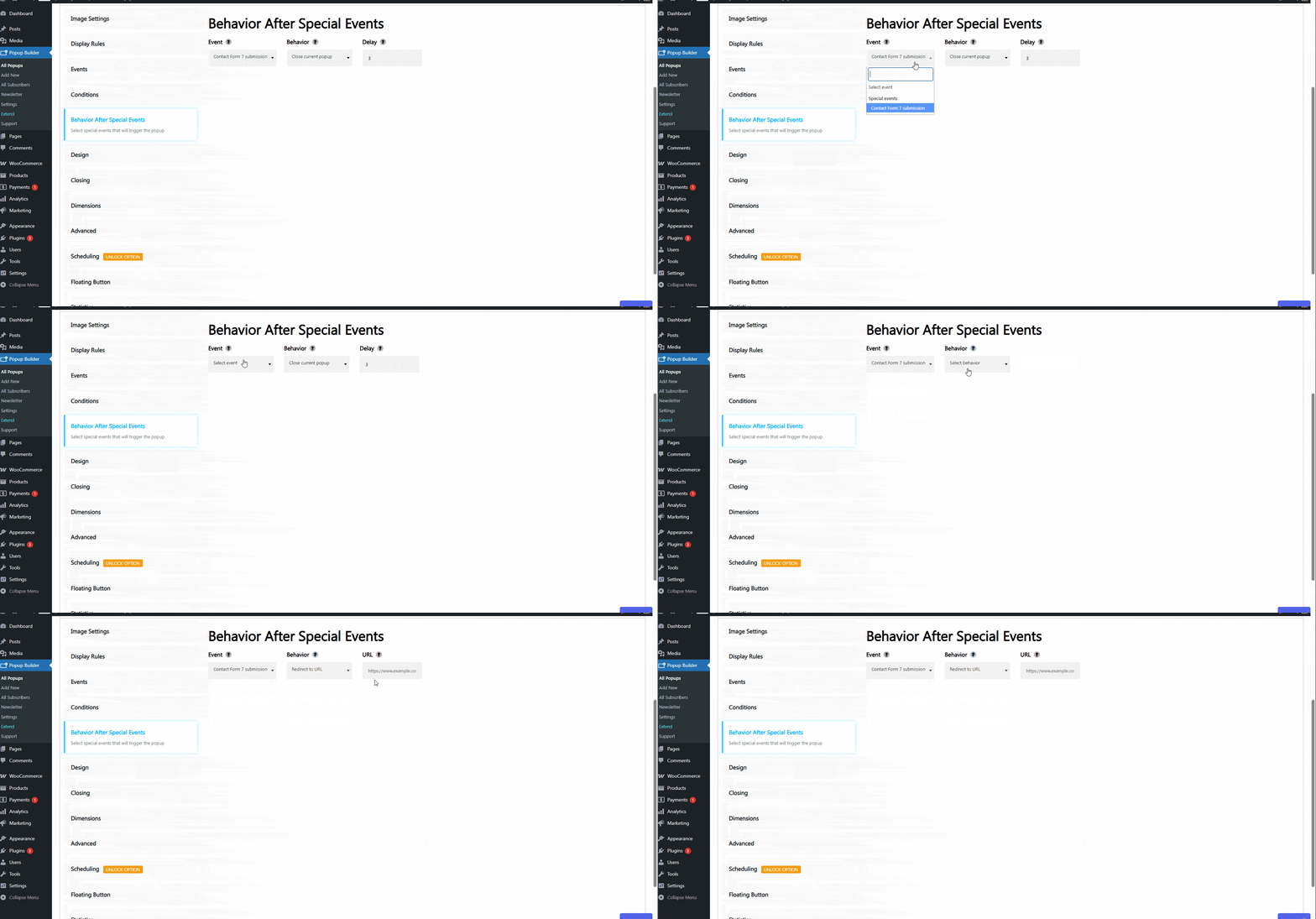
The Behavior Special Events feature allows you to direct visitors after they see the popup.
Cons:
- Targeting and Scheduling are Paid Features: A significant drawback is that targeting and scheduling features are only available to users on paid plans.
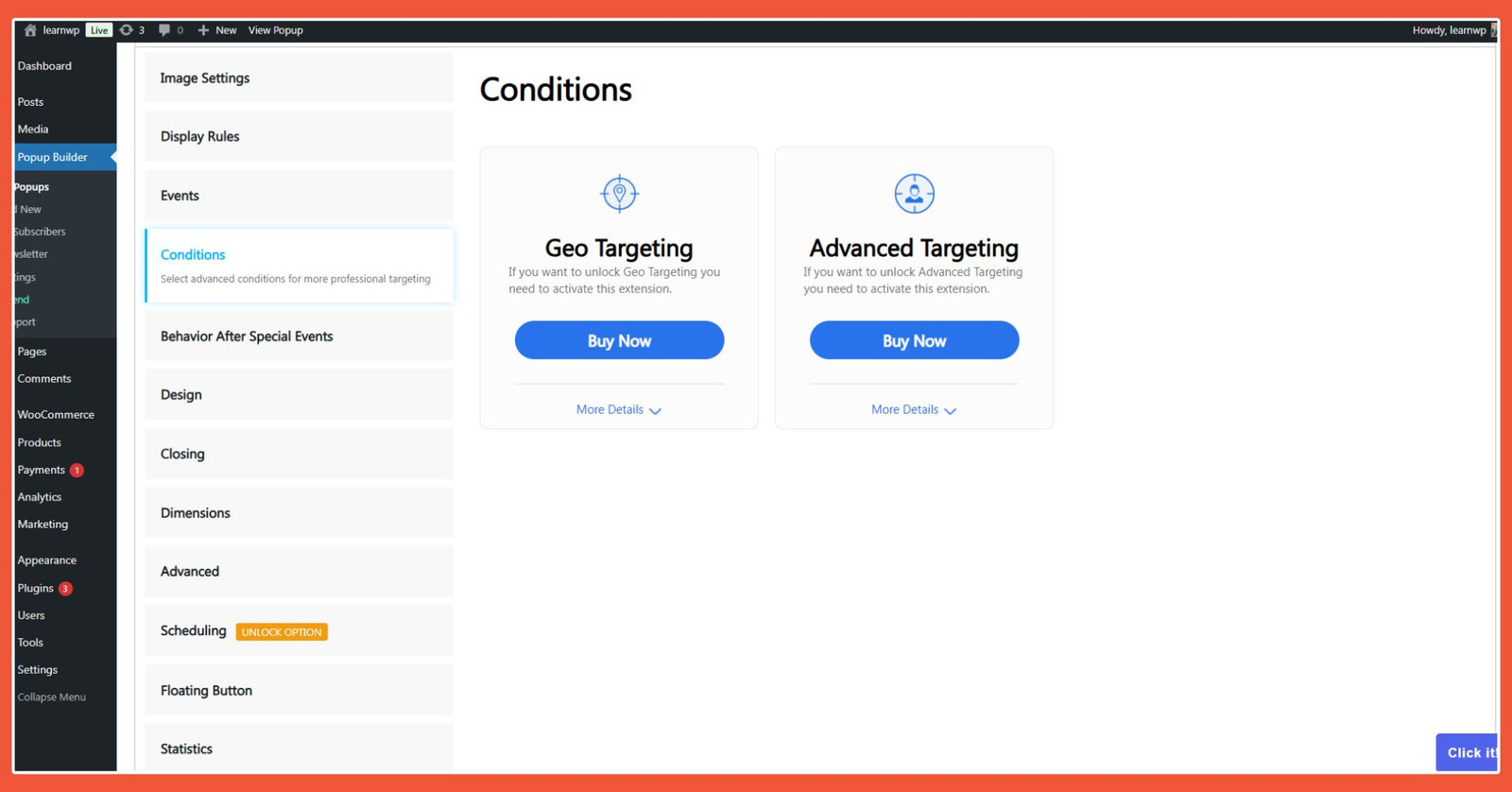
The most noticeable downside of Popup Builder is that targeting features are only available to Pro plan users.
Advertisements
Which WordPress Popup Plugin is the Best?
So there you have it, a rundown of WordPress popup plugins to consider. The purpose of a WordPress popup plugin is to help your website interact more dynamically with visitors. With a popup plugin, you can manage leads, boost engagement, enhance branding, and increase conversions.
Choosing the “best” WordPress popup plugin ultimately depends on your website’s specific needs. However, any good popup plugin should be easy to use, have targeting features, be responsive, and be compatible with your marketing tools.
If you want to use popups as a targeting tool, OptinMonster, Popup Maker, and Hustle are excellent choices. With Popup Builder, you’ll need to upgrade to a paid plan to access targeting features.
For website owners who want to integrate popups with CRM tools, OptinMonster and Hustle are the way to go. You can use their integration features for free, whereas Popup Maker and Popup Builder do not offer this in their free versions.
If you prefer not to deal with connecting your website to an external server, then Popup Maker, Popup Builder, and Hustle are your best bets.
It’s important to remember that all four plugins discussed are “freemium”—they are free to use, but to unlock their full potential, you must upgrade to a paid plan.
Also, make sure the popup plugin you choose is compatible with your current version of WordPress. If it’s not, the plugin may fail to install. Please read our article on how to fix WordPress plugin installation failures to avoid such issues.
If you don’t want the hassle of developing and optimizing your website, Tonjoo offers SEO-friendly website development services. With over 10 years of experience, Tonjoo is ready to bring your dream website to life.

For more articles on WordPress, WooCommerce, and web development, check out Tonjoo Studio Blog by Moch. Nasikhun Amin.
Last Updated on January 30, 2026 by Moch. Nasikhun Amin

Advertisements